I built an app before dinner was ready
My friend told me about her homemade wardrobe app on Tuesday; by Thursday dinner I'd built my own recipe app with Claude.
Summary: The assumption that an app needs a developer, a budget and a fortnight dates from when the slow part was writing code and coordinating the people who write it. That constraint has gone, and the bottleneck now is deciding what to build. On Thursday after lunch I gave Claude a four-sentence brief and a folder of recipe chaos; by dinnertime a working app held 119 of my recipes, and my technical contribution was ten minutes of clicking. A day of one-line follow-ups later it holds 235 recipes spanning nineteen years of collecting, my family uses it, and the whole thing runs on free hosting. The work that shaped it most was three scope decisions made before anything got built.
On Tuesday my friend Ashlee told me about a wardrobe app she'd just built for herself. It’s like Stylebook but with features she’s setup for her own needs, like being able to stand in a shop and check what would work with the shoes she's holding. I'd built a small family app last year (ParentShift, since retired because we stopped needing it, which is its own kind of success) and still came away from her demo recalibrated. What took real persistence a year ago is now nearly casual.
On Wednesday evening my friend Shayna sent me a three-month gift subscription to NYT Cooking, and by mid-evening I was deep in the saving spiral. Which is when the problem showed itself: my recipes now lived in five places. An old Notion database, hundreds of HelloFresh photos, a PDF recipe book I typed in 2007, a folder of screenshots, and a shiny new login filling up fast.
On Thursday afternoon I opened Claude and typed this:
PROMPT: "I want to build a home recipe database where I can keep track of what ingredients we have on hand, then ask what I can make, following certain parameters (eg. prioritise meals with a good amount of protein, fibre and low carbs, with modification for a toddler as needed). Let's plan this out before we go ahead. You can see all my saved files to date in this folder: _Claude cowork space/Recipes. How should we approach this in the most effective way? I would like the app to live online using a free vercel site, I don't mind if other people can see it but I should be the only one who can edit."
That was the entire spec.
Three scope decisions at the start set the course
Before building anything, Claude asked three questions:
Should pantry tracking be tick-on-tick-off or proper quantities?
Should the database start from my old Notion export, from everything including the photo archive, or from scratch?
Should 'what can I make' run on simple matching rules or an AI layer?
I chose the three boring options:
Tick on, tick off, because nobody keeps quantity tracking up past week three
The Notion export, because clean data beats complete data
Matching rules, because free and instant is better than clever
The app has no accounts, no gram-counting and no running costs, to keep it simple and easy.
ACTIVITY: Before briefing your own app, write down three answers. What's the laziest version of data entry you'll still be doing in a month? What existing data could make it useful on day one? What's the most boring mechanism that solves the real problem? Boring answers are load-bearing.
What working looked like by dinnertime
The working version arrived the same afternoon. All 119 recipes had been parsed out of the old export, each with an estimated nutrition profile and a note on adapting it for our toddler, flagged as estimates I can correct as we cook. The pantry was a tap-on, tap-off list. The Cook tab answered the founding question: what can we make tonight with what's in the house, ranked by protein and fibre.
My contribution took about ten minutes: push the folder to GitHub, click import on Vercel, click once more for a free database, set a password. I haven't opened a code file at any point, before dinner or since.
I'd love to tell you the first version felt momentous. It looked like a plain list and behaved like one. But it answered the 5pm question on its first evening, which no system in all my years of collecting had managed.
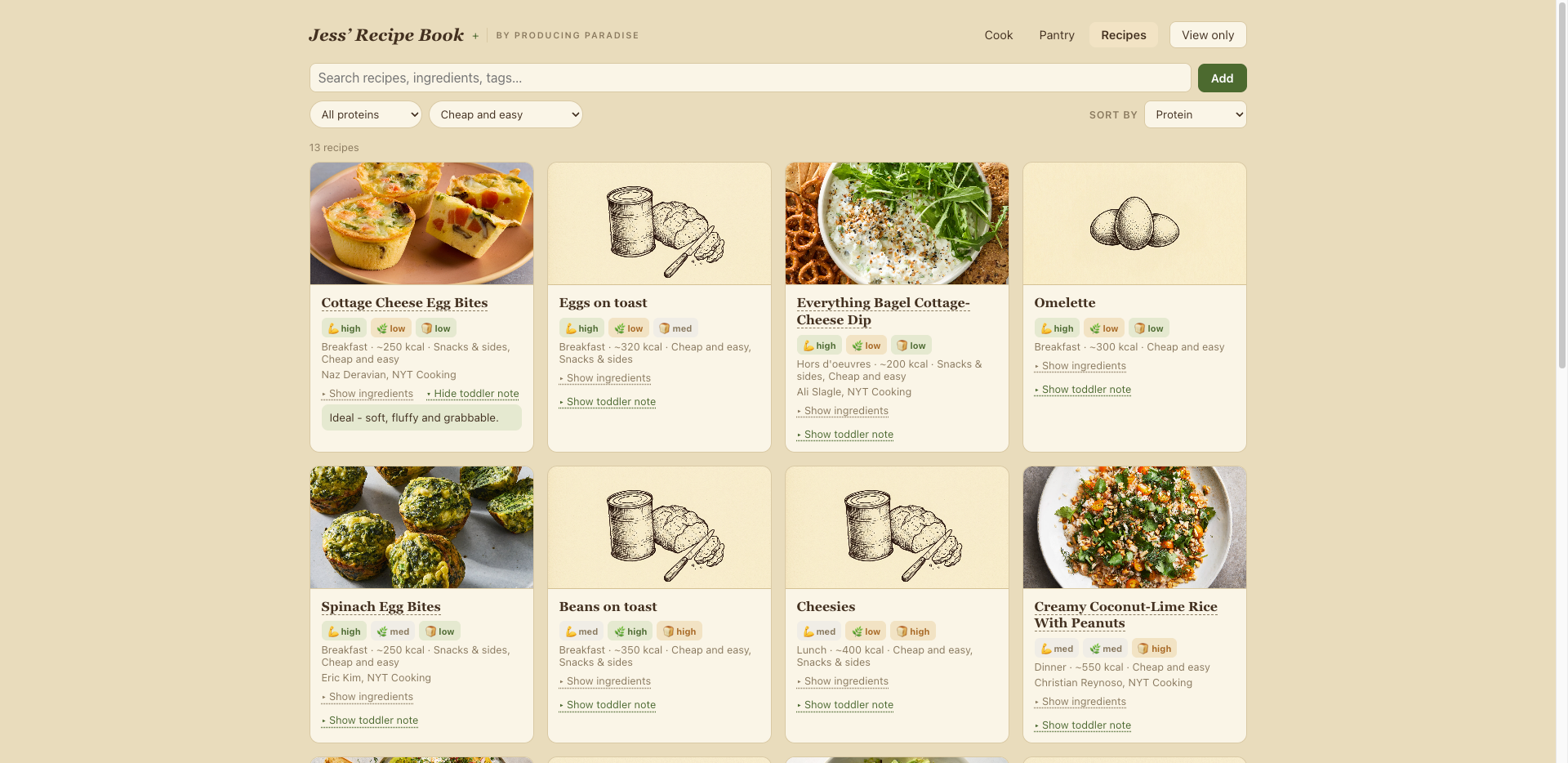
Voila! Dinner is served
Everything since has been one-line messages
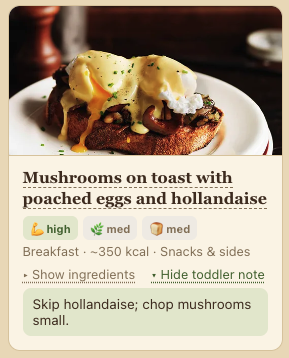
Toddler note
The app grew in fragments, most of them a sentence long. 'The all dropdown should say all meals.' 'Filters should hold as you flip between pages.' 'Ready to cook shouldn't show recipes where ingredients are missing.' Each came back built and tested, with the same three-line publish command at the end. By the tenth push it felt like texting.
Bigger additions worked the same way. Two screenshots of my NYT Cooking saved list came back as 77 recipes, categorised, with nutrition estimated and toddler notes written. The 2007 recipe book PDF became 27 more, duplicates caught and skipped. A full tag cleanup happened in one exchange: a proposed shrink of my 27 messy tags down to twelve, one reply from me ('agree with all of this'), done.
Changing direction cost a sentence or two each time. That reset my sense of what one person can ship more than the speed did, and the scarce resource across the whole build turned out to be my own clarity about what I wanted.
Draw the ingredients instead of the dish
The design brief was the Moosewood Cookbook: kraft paper, cream cards, hand-drawn ink illustrations. Recipes with source links fetch their own photos, but over a hundred had nothing. My first attempt was asking Claude to draw them, and the results were laughably bad (my toddler could have done better). Gemini got the job, with one working rule: keep everything in a single thread, repeating the same master prompt for every image and swapping only the subject, so the whole set comes out looking drawn by one hand.
When I tested seven image tools against one brief last year, Claude came out elegant and Gemini came out chaotic. This brief reversed the rankings so completely that I reran the whole test: the 2026 image battle has the full results, side by side.
The prompt itself took some finding, and the fix came from looking properly at how Moosewood illustrates. Carrot-Cashew Curry gets a bunch of carrots and four cashews. Hungarian Mushroom Soup gets three mushrooms. Once my prompts described 'three ripe tomatoes, one cut in half' in place of 'tomato soup, homely dish', every image landed.
PROMPT: "Vintage 1970s vegetarian cookbook illustration in the style of the Moosewood Cookbook: hand-drawn pen and ink sketch, fine crosshatching and stippling, slightly naive whimsical linework, as if drawn with a dip pen. A small isolated vignette of [SUBJECT], floating on a plain warm cream background, generous empty space around it. Dark brown-black ink only, monochrome. No text, no lettering, no colour, no plate settings, no table, no scene, no border, no frame. Square."
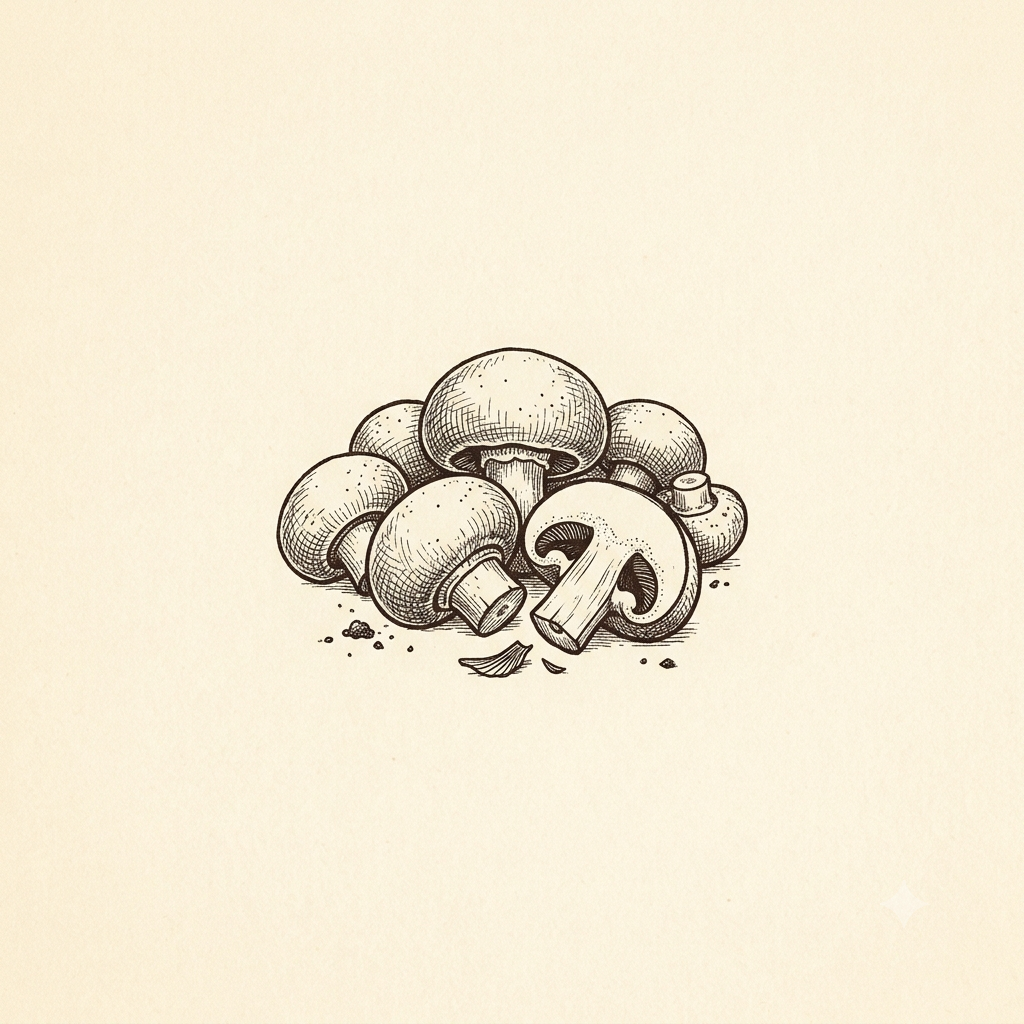
Gemini's mushrooms
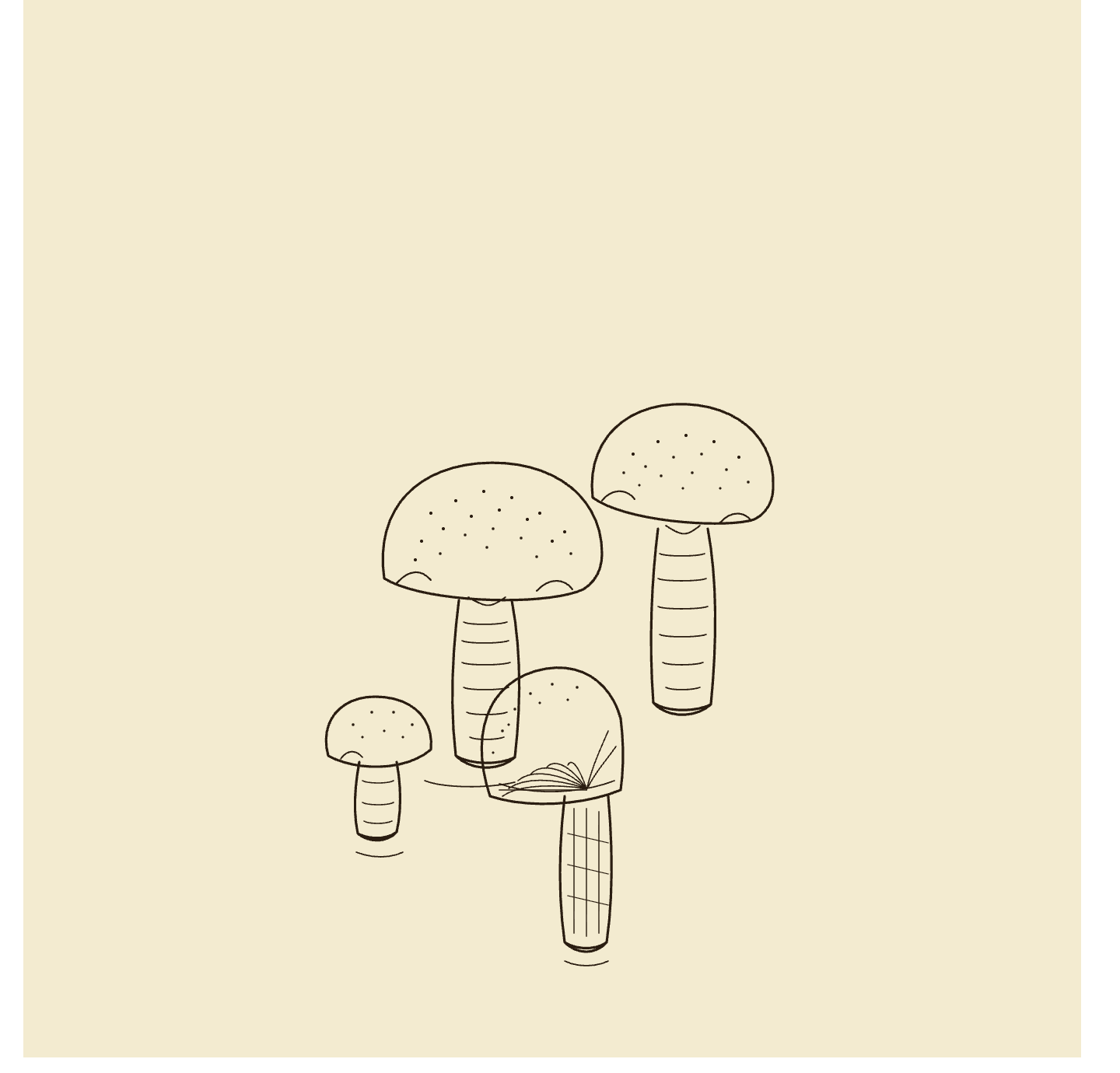
Claude’s mushrooms
Then placeholder economics took over. One fish drawing now covers twenty dishes, one plump chicken covers even more, and a to-do list of 145 images collapsed into a handful of prompts. Any of them can be upgraded later by dropping a better file over the top, which suits me: perfection can join the queue behind dinner.
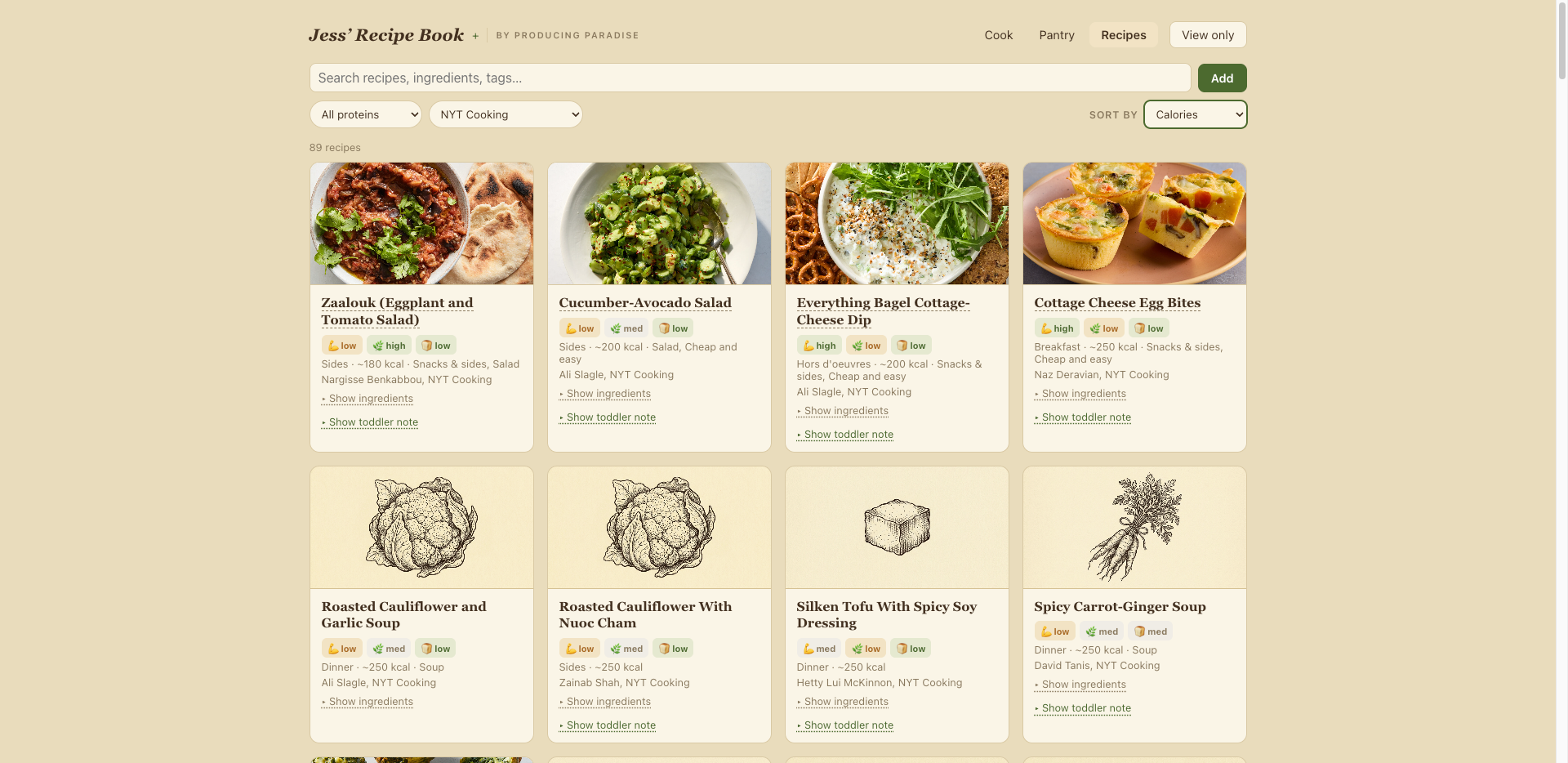
The online recipe book
The best features tell the truth
The unglamorous half of 'built in an afternoon' is what happened after it worked. A QA pass turned up real bugs: filter counts that didn't update, a saving quirk that could briefly swallow a just-added recipe, and a configuration gap that would have left the live site editable by anyone if a password setting ever got deleted. Minutes to fix, but only because I asked for the review.
The design principle that emerged along the way is honesty. 'Ready to cook' only lists recipes whose ingredients genuinely match the pantry, and recipes with missing data got demoted to their own section at the bottom. Every calorie figure is an estimate until I correct it. There's a one-tap backup link in the footer.
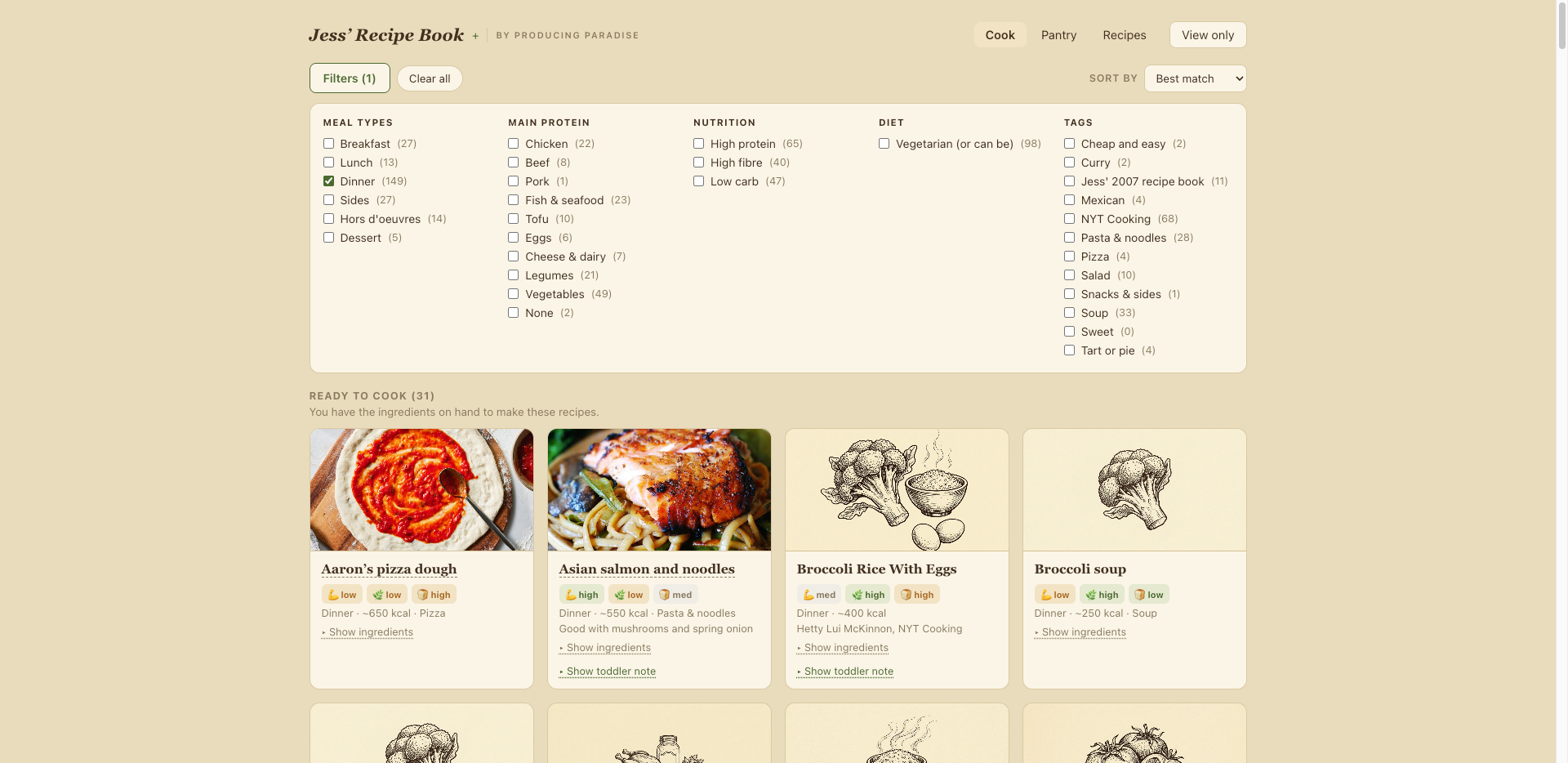
Result filters to hone options
A recipe book from 2007 closed the loop
The last import was the PDF I typed nineteen years ago, a recipe book made for friends with 'with love from Jess' on the cover. Its banana porridge and its extremely 2007 Mega Breakfast now sit in the same searchable place as the New York Times recipes. Take that, algorhithms.
Every system I've kept recipes in has eventually fallen by the wayside: the Recipe Book PDF, the Notion database, the folder of screenshots. I assume this one is mortal too, but it can evolve more easily with a quick back and forth with Claude, and in my Terminal. It's live now if you'd like to poke around.
FAQ
Do you need to know how to code?
No. My contribution was decisions, taste and testing on my phone. I haven't opened a code file.
Is there a version that doesn't need building?
Yes. If you'd rather skip the GitHub and Vercel part entirely, I've put the recipe box and meal planner together as a free Notion template. Same idea, no app: recipes in one place, a pantry list, and a weekly plan you can fill in on your phone.
What does it cost?
Nothing ongoing. Free tiers of Vercel and Upstash host the site and data, and the build happened inside the Claude plan I already pay for.
How long did it take?
An afternoon to a working version. The demo as it stands, 235 recipes and the full design, took about a day of attention in total, scattered across the week in fragments.
Who draws the illustrations?
Gemini, one thread, same prompt every time with a new subject. Files drop into a folder, the app finds them, and one drawing can stand in for a dozen similar recipes until I replace it.
Dinner sorted? Let's give the rest of the week the same treatment
The app took three boring decisions and an afternoon. Both of these skip the afternoon.
Want the recipe box without building an app?
The Recipe Box and Meal Planner is a free Notion template: one place for every recipe, a pantry list, and a weekly plan, so the 5pm question gets answered before it's asked.
GET THE FREE TEMPLATE →
How about systems for the rest of life too?
The Most Organised Person I Know shows you how to design simple systems that reduce mental load and help your work flow more smoothly, from daily tasks through to long-term projects, at work and at home.
GET THE EBOOK →
Boring answers stick around for a reason.