From idea to app in 3 hours for $50: how I used AI to build ParentShift

Anyone who has an app idea can now build a working prototype in an afternoon, without coding skills.
Summary: I built ParentShift, a parenting shift tracker, in 3 hours for $50 using Replit AI with no coding expertise required. What would've cost thousands just a few years ago is now accessible to anyone with an idea and a free afternoon. Here’s how I did it, why AI development tools are a game-changer, and what it means for people who want to build thoughtful, useful apps without hiring a developer.
Remember when building a web application meant months of planning, hiring expensive developers, and budgets that could easily reach five figures? Last week I built ParentShift, a shift tracking app for tired parents, in just a few hours for under $50. The same thing would have cost thousands and taken months just a few years ago.
The tool I used was Replit AI, but that's not the story here. The story is that we've hit a tipping point where having an idea and turning it into working software are no longer separated by months of learning to code or thousands of dollars in development costs.
What's changed
A few years ago, if you wanted custom software, you had three options: learn to code (which takes months), hire developers (which costs thousands), or use existing tools that sort of fit your needs but never quite get there.
Now there's a fourth option. AI-powered development tools can turn plain English descriptions into working applications. Replit is one example, but similar capabilities are emerging across platforms like Cursor, GitHub Copilot, and others. The specific tool matters less than the fundamental shift, which is that we can now describe what we want and watch software get built.
This isn't about no-code tools that lock you into templates. These AI assistants write custom code, set up databases, handle deployment, and create exactly what you described. The difference is you don't need to understand the code to get a working result.
How things used to work
The traditional development process
In the traditional world of app development, here's what building a simple web application typically looked like:
Phase 1: Planning & Design (2-4 weeks)
Requirements gathering
UI/UX design
Technical architecture planning
Database schema design
Phase 2: Development (4-12 weeks)
Frontend development
Backend API development
Database setup and configuration
Integration and testing
Bug fixes and iterations
Phase 3: Deployment & Hosting (1-2 weeks)
Server setup and configuration
Domain and SSL certificate setup
Database migration
Performance optimization
Security hardening
Total Cost Breakdown:
Developer time: $5,000-$15,000 (at $50-100/hour)
Design: $1,000-$3,000
Infrastructure: $50-200/month
Domain and SSL: $50-150/year
Grand Total: $6,000-$18,000+ just to get started
How I built it
Here's what happened when I decided to build a solution.
Step 1: Describe what you want (5 minutes)
I described my problem: "Create a shift tracking app for parents called ParentShift. It should let couples track who's handling night duties, log shift times, and see a clear visual of who's up next."
Step 2: Watch it build (2-3 hours)
The AI created everything from scratch - database, user interface, all the logic for tracking shifts. I watched as it:
Set up the database for storing shift data
Built the interface for logging and viewing shifts
Created the logic for tracking who's turn it is next
Added mobile-friendly design (because who wants to fumble with desktop at 3 AM?)
Implemented data persistence so shifts don't get lost
Step 3: Refine and deploy (30 minutes)
When I wanted changes, I just asked: "Make the interface work better in dark mode" or "Add a weekly summary view." Each request was handled within minutes.
Total Cost: $50 (monthly subscription)
Total Time: 3.5 hours
The same result using traditional development would have required either months of learning to code or hiring a developer.
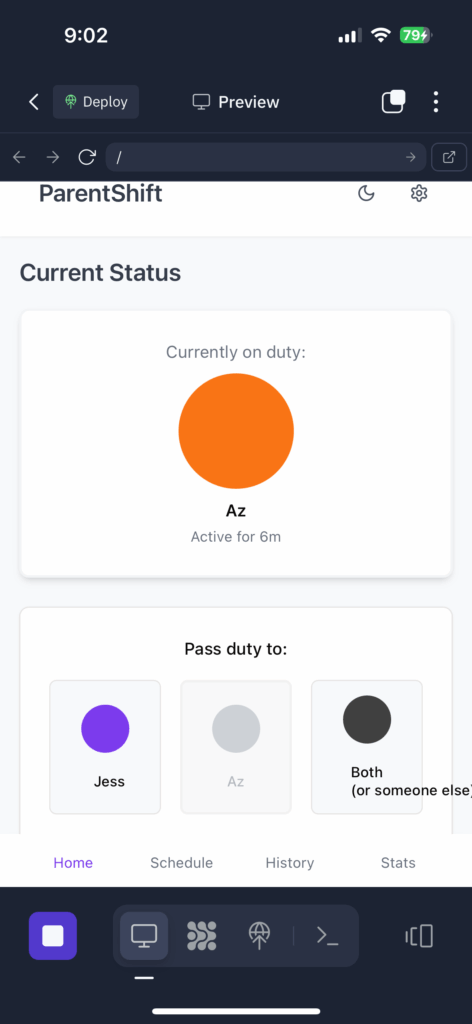
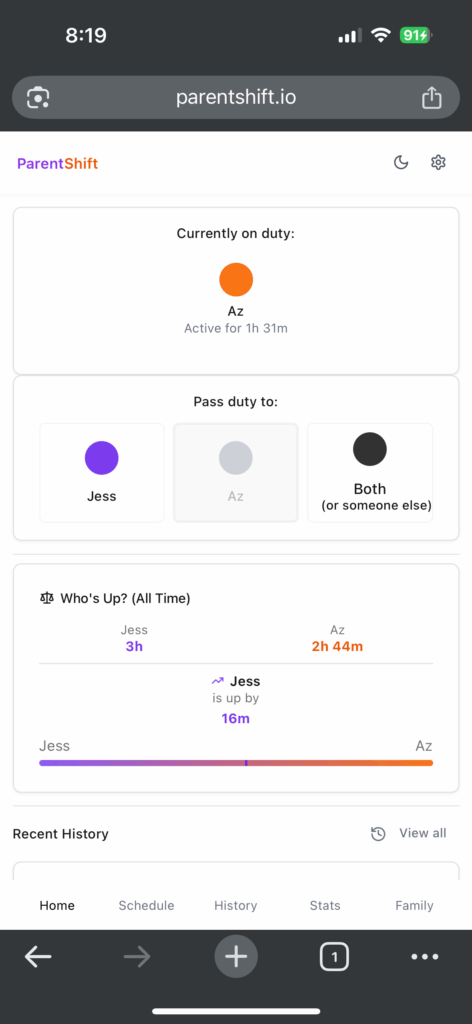
Real-world example: ParentShift
Let me walk you through exactly what I built and how Replit Agent handled the complexity.
The inspiration
You know that 3am moment when you're both exhausted, the baby is crying, and you're having that whispered argument about whose turn it is? My partner and I experienced this. We were already taking turns with night parenting, but the mental load of tracking who did what and when was creating unnecessary friction.
"We were taking turns at night already — I just wanted to make it visible."
What I asked for
"Create a shift tracking app for parents called ParentShift. It should let couples track who's handling night duties, log shift times, and see a clear visual of who's up next. Include a simple timer feature and a history of recent shifts so both parents can see the pattern at a glance."
What it built
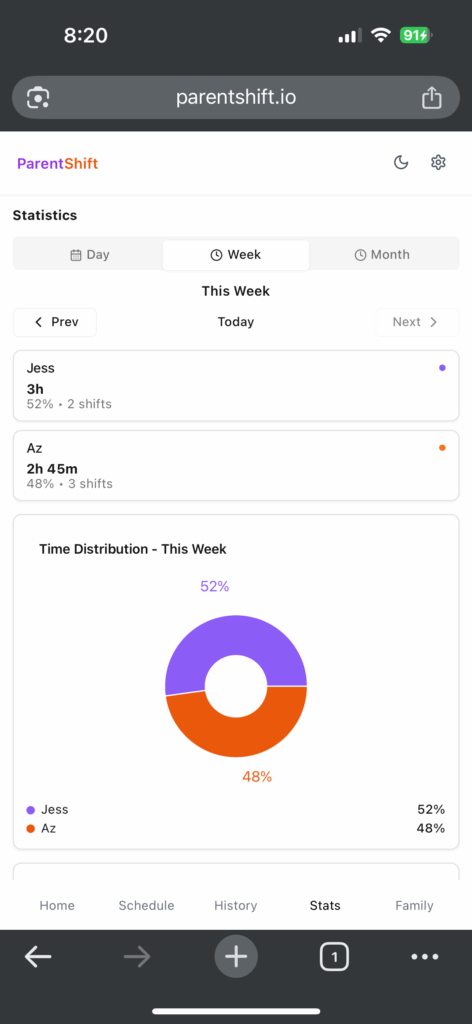
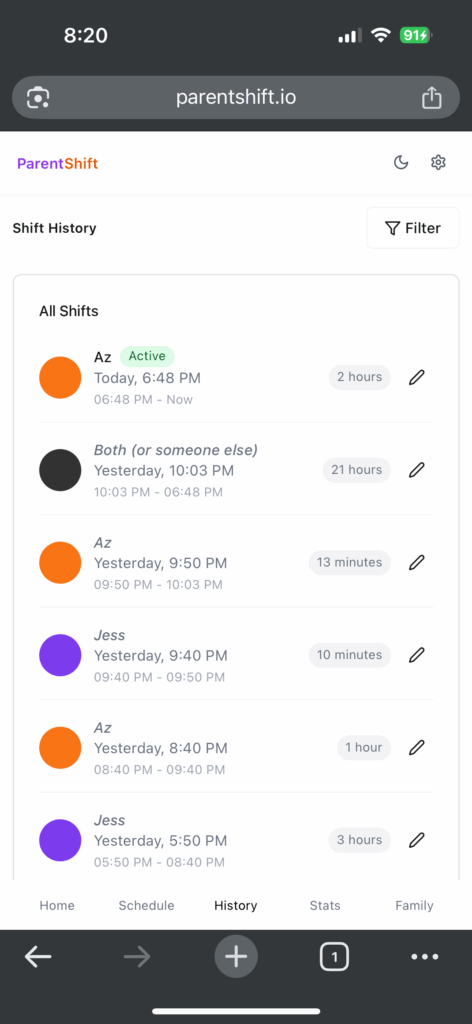
Within hours, I had ParentShift - a fully functional application featuring:
Partner Profiles: Simple setup for both parents with customizable names and preferences
Shift Tracking: One-tap logging of who's on duty and for how long
Visual Dashboard: Clear, sleep-deprived-parent-friendly interface showing current status
Shift History: Easy-to-read log of recent shifts to see patterns and ensure fairness
Timer Integration: Built-in timer for tracking shift duration
Mobile-First Design: Works perfectly on phones for 3am accessibility
Data Persistence: Automatic saving so no shifts are ever lost
The technical stack (generated automatically)
Backend: Node.js with Express.js and TypeScript for handling family childcare coordination data
Database: PostgreSQL with Drizzle ORM, featuring tables for users, families, family memberships, shifts, scheduled shifts, and settings
Frontend: React 18 with TypeScript, using Wouter for routing and TanStack Query for state management
Data Management: Real-time family-scoped data with session-based authentication and PostgreSQL session storage
Styling: Tailwind CSS with shadcn/ui components, responsive design supporting both light and dark modes
Hosting: Replit deployment with enterprise-grade security headers, rate limiting, and health monitoring
The impact
"We already had a great partnership — this just made it feel even more balanced."
Within a week of using ParentShift, my partner and I noticed something remarkable. Those 3am discussions about fairness disappeared entirely. The app didn't change our willingness to help each other, but it eliminated the mental overhead of tracking and remembering who did what.
Having the data visible created shared accountability. We could both see the pattern of our shifts, celebrate when we were splitting duties evenly, and adjust quickly when life threw us curveballs.
The app solved a problem that affected our relationship in small but meaningful ways. And it cost me $50 and an afternoon to build. (I have since continued tinkering with it, but those first few hours saw a fully operational prototype in my hands and it truly blew my little human mind.)
Why this matters
This isn't just about saving money, though that's nice. It's about being able to act on ideas when you have them. Here's what's changed:
You can test ideas quickly
When you have a "what if I built…" moment, you can find out if it's worth pursuing without spending weeks researching or months building before you know if it solves your problem.
The barrier is your time, not your wallet
A $10,000 development project is now accessible for under $100, which opens up app building to anyone with an idea and a weekend.
You can focus on the problem, not the code
Instead of getting stuck on technical details, you can focus on whether your solution works for people.
What works well (and what doesn't)
AI-powered development tools are pretty capable, but it's worth knowing where they shine and where they struggle:
Where they're great
Standard web apps (dashboards, trackers, simple tools)
Quick prototypes and testing ideas
Learning projects
Small to medium-scale applications
Connecting to common services and APIs
Where you'd still want traditional (or hybrid) development
Large enterprise applications
Apps with complex business rules
High-performance requirements
Highly specialized functionality
Extensive third-party integrations
If you want to try this
Ready to build something? Here are a few AI-powered development options to explore:
Available tools
Replit Agent: What I used for ParentShift - browser-based with AI assistance
Cursor: AI-powered code editor that can build complete applications
GitHub Copilot: AI pair programming that can handle full project development
Claude or ChatGPT: Can generate complete applications when prompted properly
Getting started
Pick a real problem you actually have - family coordination, expense tracking, simple business needs
Be specific about what you want: "Build a shift tracker for parents with partner profiles and shift history"
Expect to iterate - your first version won't be perfect, but you can refine it through conversation
Start small - prove the concept works before adding complexity
The bigger picture
Building ParentShift wasn't just about solving a parenting problem. It was about experiencing firsthand how the relationship between having ideas and building software has fundamentally changed.
The main barrier to custom software isn't technical knowledge or budget anymore. It's having a clear understanding of what problem you want to solve. That's a significant shift.
This doesn't mean developers are going anywhere, but it does mean the pool of people who can create software solutions just got bigger. Good solutions can come from anyone who understands a problem well enough to describe it clearly.
Bottom line
Building ParentShift for $50 in a few hours wasn't just about saving money. It was about discovering that the gap between "I wish there was an app for this" and having that app has gotten surprisingly small.
The app genuinely improved how my partner and I coordinate night duties. That 3am "whose turn is it?" conversation just stopped happening. And getting there was easier than I expected.
Whether you're dealing with family coordination, trying to split expenses fairly, or have some other daily annoyance that could be solved with a simple app, it's worth knowing that building custom solutions is more accessible than it's ever been.
The tools are there. The question is whether you're frustrated enough with your current situation to spend a weekend finding out what's possible.
What daily annoyance would you turn into an app if you knew it would only take a few hours?
Built your first app? Now get the rest of your systems working for you
If AI can help you build an app in an afternoon, imagine what well-designed systems could do for the rest of your work.
Need a smarter way to manage projects and tasks?
The Organised Creative Notion Template is a plug-and-play setup for freelancers. Keep your content, client work, and admin under control so you can spend less time chasing tasks and more time making progress.
EXPLORE THE TEMPLATE →
Ready for the complete framework?
The Most Organised Person I Know shows you how to design simple systems that reduce mental load and help your work flow more smoothly, from daily tasks through to long-term projects.
GET THE EBOOK →
You've streamlined one part. Let's make the rest easier too.
This post contains affiliate links. This means we may earn a commission if you purchase services through these links without any extra cost to you. This commission helps us keep the site running. We appreciate your support!