The Claude Project instructions I use (with a copy-paste template)

When to move beyond personal preferences, what goes in the knowledge base, and my own Claude setup.
Summary: Personal preferences influence how Claude responds, but they can’t hold everything relevant to a project, so every chat starts with you re-explaining product names, prices, and decisions made. When Claude doesn't know about a past decision, it reopens it. A Claude Project fixes this with a project-specific knowledge base which is applied to every conversation, and dedicated instructions. I suggest including: what this project is, standing decisions, reference documents, how to work, autonomy limits, and don't. Facts that change go in the knowledge base; settled rules go in the instructions. Projects are on every plan, including free plans.
Claude knows I write British English, want a recommendation instead of a menu, and never want an em dash. It has no idea what the Organised Creative Operating System (my Notion template) sells for, which client names are real, or that the free downloads on my site deliberately don't ask for an email address. Those were things I kept re-explaining, one chat at a time, until I moved it into a Project and stopped.
Preferences travel everywhere, Projects stay put
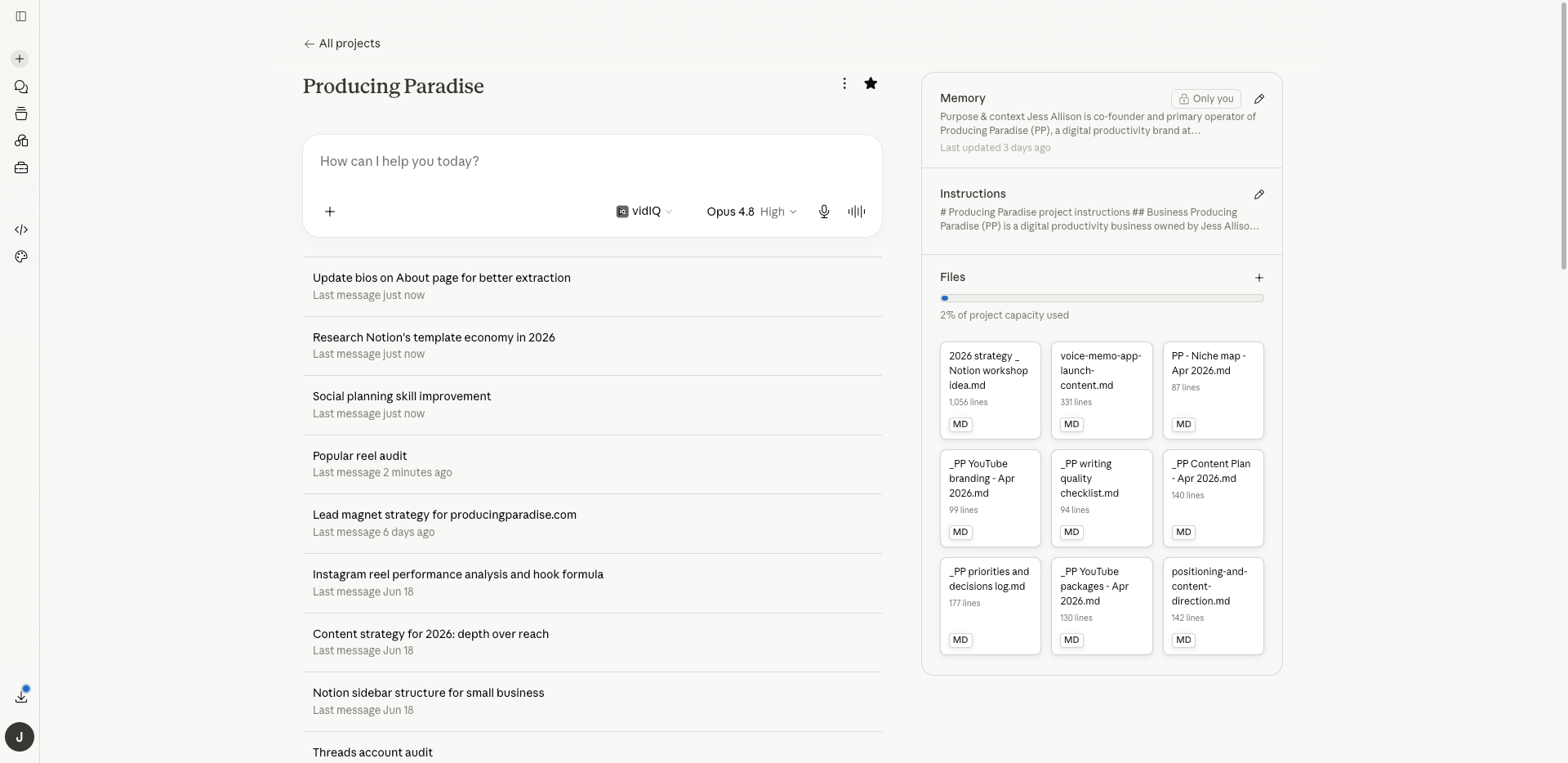
A Project in Claude
I've already written about the personal preferences layer: the custom instructions that load with every conversation and set tone, format, and how Claude reasons. If you haven't set those up, start there. This article is the next layer up.
Preferences are global. They follow you from a blog draft to a school-holiday logistics question, which is what makes them useful and why they have to stay general. Put your price list in them and every conversation carries your price list.
A Project is the opposite shape. It's a self-contained workspace on claude.ai with its own chat history, its own knowledge base of uploaded documents, and its own instructions that load only inside it. Your global preferences still apply; the Project adds what's specific to one stream of work. Projects are available on every Claude plan, including free accounts, which can create up to five.
Your global preferences still apply; the Project adds what's specific to one stream of work. And once the setup's right, which model runs inside it is its own decision: I've sorted which Claude model to use for what task separately.
You need a Project if you keep re-pasting context
Three tells:
You re-upload the same document. A brand guide, a price list, a voice profile, attached to a fresh chat for the third time this month. That document needs a permanent home.
You keep correcting the same facts. Preferences fix tone. If you're correcting substance, like Claude getting a price wrong or suggesting a strategy you've already ruled out, that's missing knowledge, and no amount of behavioural instruction fixes missing knowledge.
You reopen settled decisions. This is expensive. When Claude doesn't know a call has been made, it helpfully reopens it, and you spend the session defending a decision to a tool instead of doing the work. My instructions file exists mostly to stop this.
If you've recently left a job and you're setting up on your own, the Project becomes the operations manual your one-person business doesn't otherwise have. Write it like the induction document for a very fast new hire.
The Project instructions template (copy-paste)
Paste this into a Project's instructions field and replace everything in brackets:
What this project is
[One or two sentences: the stream of work, who it's for, and what a finished output looks like.]Standing decisions
[The calls you've already made that Claude should treat as settled. Pricing, positioning, naming, anything you don't want reopened. One line each.]Reference documents
[Name each file in the knowledge base and its job, e.g. "voice-guide.md sets tone and banned words; apply it to every draft." A file Claude doesn't know the purpose of is a file it will use wrong.]How to work
[Behaviour rules for this stream. What to read before starting, what to check facts against, what a good first draft includes.]Autonomy limits
[Two lists. Do without asking: the work you just want done. Flag before doing: anything touching money, pricing, publishing, or a decision that belongs to you.]Don't
[The avoid list for this stream: suggestions you're tired of hearing, formats you never want, names that must never appear.]
The structure is portable. ChatGPT has Projects with the same shape, per-project instructions plus uploaded files, and Gemini's version is Gems, with instructions and knowledge files attached. The six sections work in any of them; only the field names change. Notion's custom agents run on the same principle, which is why the free ones I've built (Cut the Noise and Reality Check) read like small instructions files.
Each section has a purpose
What this project is anchors everything else. Without it, Claude infers the project's purpose from whichever file it read most recently.
Standing decisions is the section that saves the most correction. A decision that lives only in your head gets reopened in every chat. Written down as settled, it stays settled. Mine includes a line that free downloads stay ungated; before that line existed, email capture kept arriving as a helpful suggestion.
Reference documents matters more than it looks. Claude has access to everything in the knowledge base, and a file with a named job ("check pricing claims against this") gets found and used for that job.
How to work holds the process: what to read before a strategic question, which checklist runs before a draft is called done. This is the difference between a Project that holds documents and one that runs a process.
Autonomy limits is the section I'd defend hardest. Two lists, do-without-asking and flag-before-doing, and they change the working relationship. Claude drafts and edits freely, and stops at anything touching pricing or a decision that belongs to me or my co-owner. Without this section you get one of two failure modes: a tool that asks permission for everything, or one that confidently makes calls that weren't its to make.
Don't works the same way as the avoid list in personal preferences: naming specific failures beats describing ideal behaviour. Every line in mine is there because it happened.
Our Project instructions
Producing Paradise project instructions:
Standing decisions
Default mode is PP. Treat any ask as PP work unless the framing makes day-job or Home mode obvious.
6 hours a week, hard cap, Wednesdays. Anything beyond it displaces something else. Surface the displacement, don't absorb it.
Day-job separation is permanent. No employer name, no case studies or demos using day-job work or clients. Background is referenced only as "twenty years in operations."
Brand stance is anti-Pinterest productivity: usable over aspirational, constraint-aware over best-practice.
Email capture on free downloads stays optional. Distribution beats capture for now.
Opinion content is never generated from scratch. Ask Jess for her take first.
Aaron Puls is the named proof-of-concept for the Organised Creative Operating System. Get It Gone Australia and Lymphoedema Private are testimonials. Never invent client specifics.
People and vendors
Aimee: co-owner. Weekly soundboard plus her own product work. Not available for delivery on Jess's items.
Claude for PP, photography-business and home admin. Gemini for the day job.
Payment processor, email/newsletter tool, scheduler: [TBC]
Autonomy limits
Do without asking: draft, edit, format, refresh, restructure. Read project files to check facts. Run the voice skill and quality checklist.
Flag before doing: anything off the active priorities that displaces something on them; anything touching pricing or brand positioning; anything that risks the day-job separation.
When the priorities log and a request conflict, ask. Don't quietly override the log.
One clarifying question max, and only when the answer changes direction. Otherwise assume and note it at the end if it matters.
Decision rules
Read the priorities log before any strategic ask or new content brief. Skip it for casual questions and follow-ups in an existing thread.
Read the positioning doc before any content brief. Run the writing quality checklist before calling an article ready.
Stop and check before committing money or time beyond the 6-hour week, or spend above [$TBC].
Push back when logic is weak or trade-offs aren't named. Default agreement is a defect.
Don't suggest
Gating free downloads or pushing email capture as a fix.
Office formats (.docx/.xlsx) as default deliverables. Everything in markdown.
Anything that references or leans on the day job.
Inventing client names, metrics, or testimonial specifics.
The [TBC] placeholders are real: the gaps mark decisions I haven't made yet.
Two lines of note: "Surface the displacement, don't absorb it" means that when I ask for something new, the response starts with what it bumps from the active list, because the file says my week has six hours in it and the project knows what's already claimed. And "default agreement is a defect" keeps the pushback honest even when a long chat starts to drift toward agreeing with everything I say.
Files hold facts, instructions hold rules
The knowledge base and the instructions field do different jobs, and the split matters because it decides what you have to keep updating.
My content project's knowledge base holds a positioning document, a priorities and decisions log, and a writing quality checklist. All three change: the log weekly, the others every month or two. When they change, I update the file and the instructions don't move. If those facts lived in the instructions, every priority shuffle would mean rewriting the brief.
The instructions hold rules, and rules change only when a decision changes. Anything that changes goes in a file. Anything settled goes in the instructions. The Reference documents section connects the two by telling Claude what each file is for.
| Context you keep re-pasting | What it is | Where it goes |
| Price list | Fact that changes | Knowledge base file |
| "Free downloads stay ungated" | Settled decision | Standing decisions |
| Voice profile | Fact that changes | Knowledge base file |
| "Never name my employer" | Settled decision | Don't |
ACTIVITY: List every piece of context you've pasted into an AI chat more than twice in the past month and add it to the table. Mark each one as a fact that changes or a decision that's settled. The facts are your knowledge base. The decisions are your first draft of Standing decisions and Don't.
One capacity note: on paid plans, projects scale automatically through retrieval (RAG) when the knowledge base gets big, expanding capacity up to ten times. Free accounts have a harder ceiling. Either way, the fix for an overstuffed project is the Reference documents test: a file you can't write a job description for shouldn't be in there.
Five projects is plenty
Free accounts are capped at five projects and I'd treat that as a filter, because a stream of work has to justify one. If it has no settled decisions and no documents worth a permanent home, it doesn't need a Project; a mode line in your personal preferences covers it, the way my Home mode covers school-holiday logistics without a workspace of its own.
The bar is operational memory worth keeping: decisions that stay decided, documents that stay relevant, a way of working you'd brief to a person. My content project clears it by a distance. My grocery list never will.
Take the voice profile with you
If you're building a content project, the first file the knowledge base needs is a voice profile. It belongs in a Project more than in your preferences, because it describes one stream of work and preferences follow you everywhere.
I've written up how to teach AI your voice; the tl;dr is that these six pieces will get you a long way:
Who I am: [your role, who you write for, the stance you write from]
How I sound: [formal or loose, plain or playful, a writer whose tone sits near yours]
Tells to keep: [your spelling, sentence case, asides, any formatting rules]
Never use: [the words and phrases you never want to see]
Example of my voice: AI wrote "[a line AI wrote for you]". I'd write "[your rewrite]". Match the second, never the first.
Standing rule: [the one rule AI applies to its own drafts before showing you]
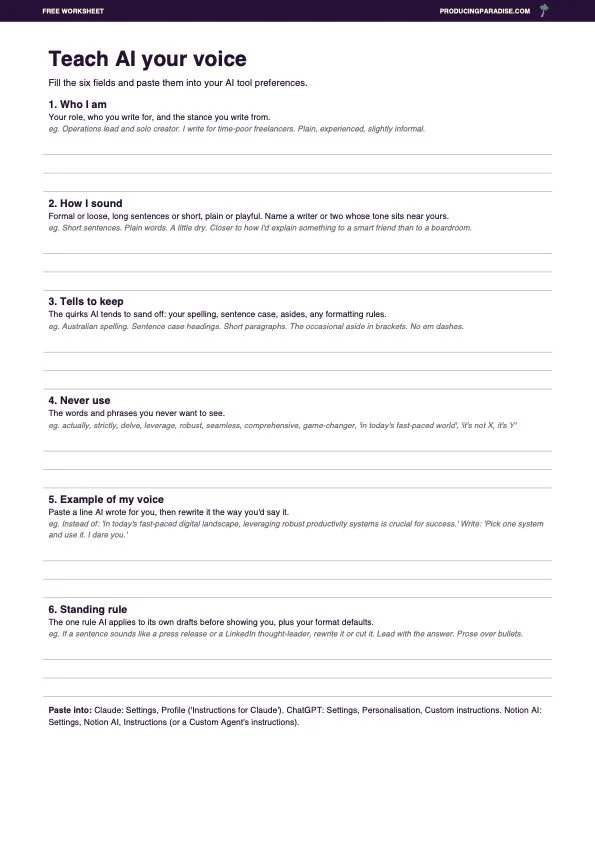
Rather work it out on paper? Grab the free PDF worksheet.
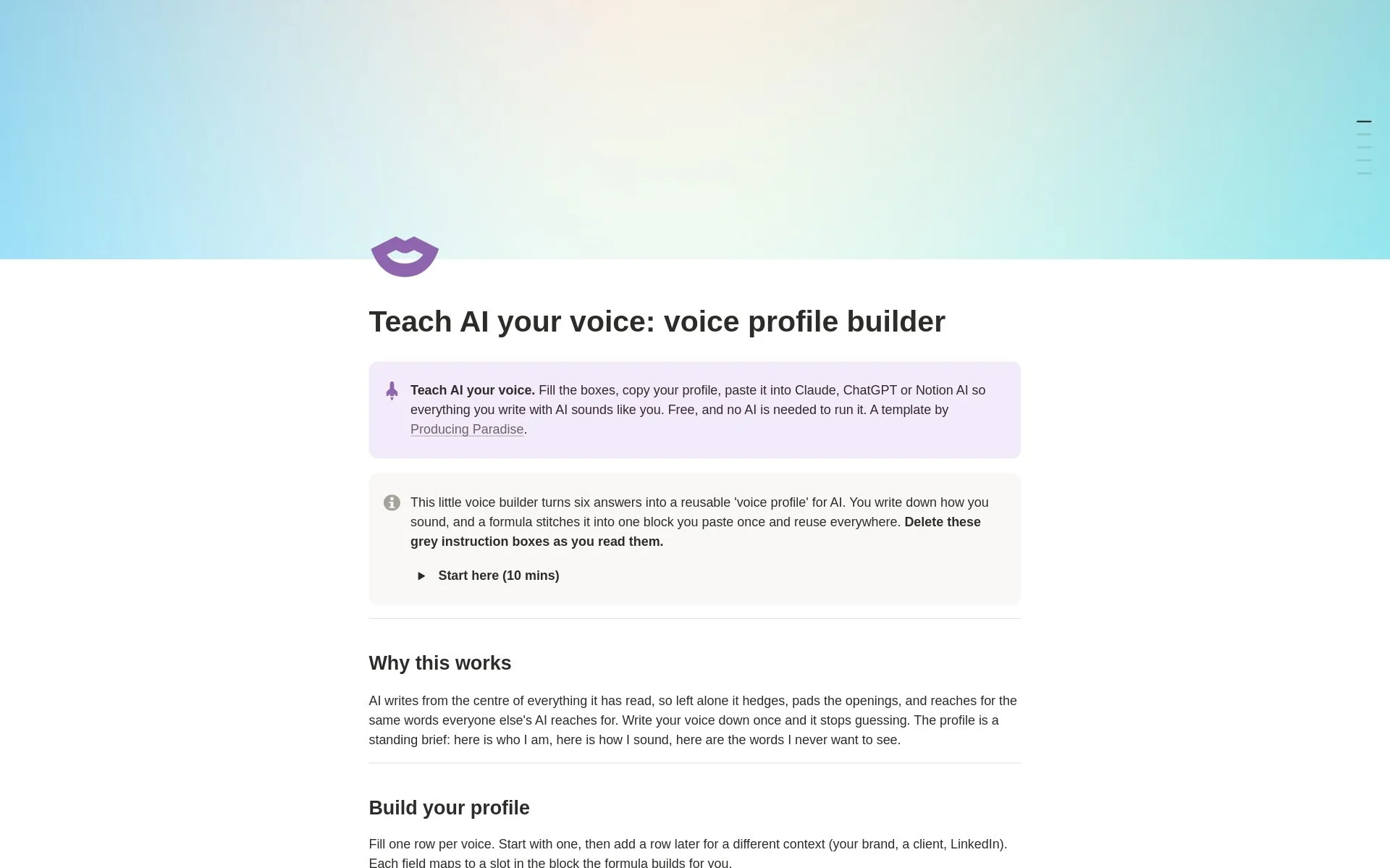
Live in Notion? Try the voice profile builder template.
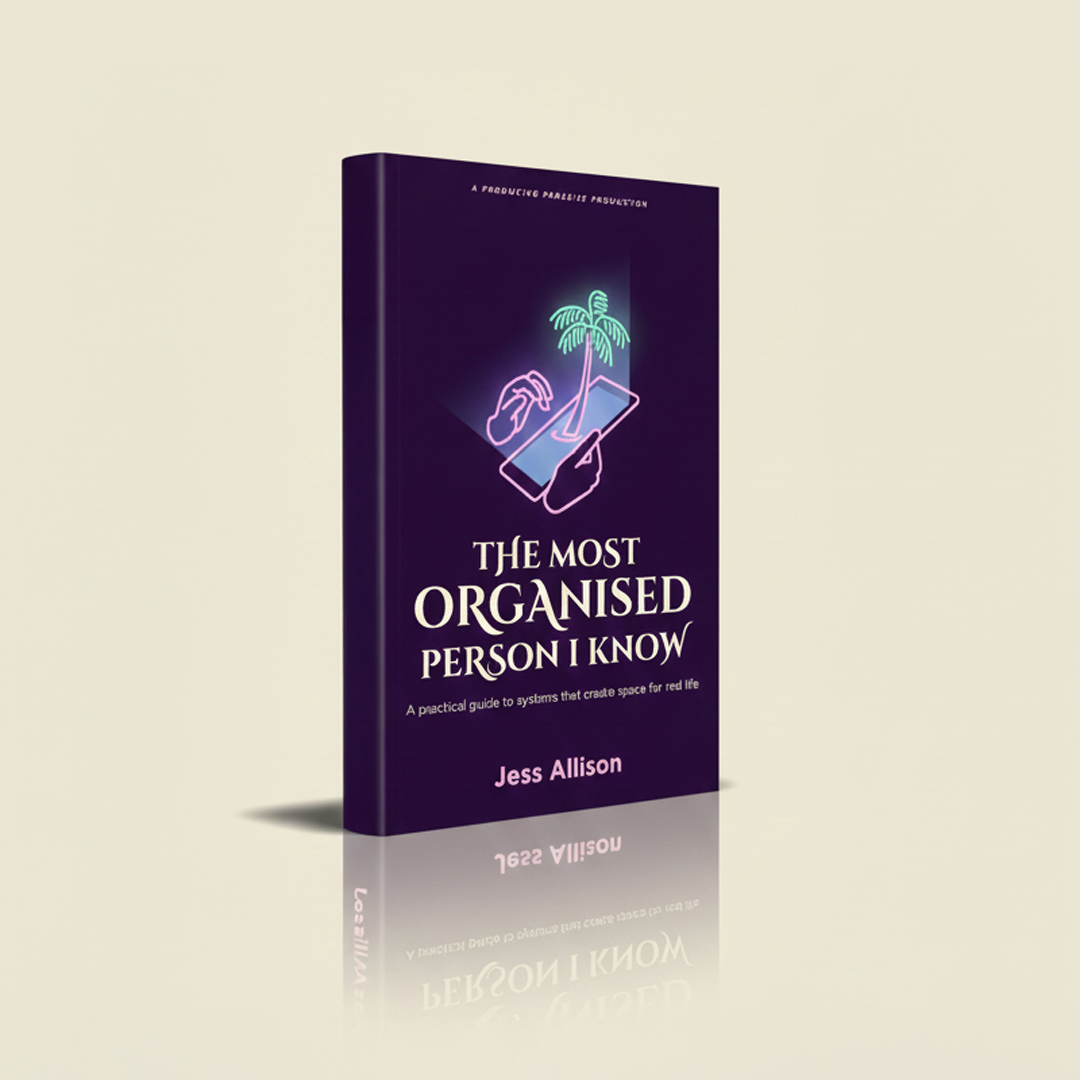
Instructions only work as well as the answers you put in, and knowing yourself well enough to write them down is a skill. My book, The Most Organised Person I Know, teaches that skill through the SPACE framework.
The Project instructions are a living document
Every meaningful edit to my instructions came from a failure: a suggestion I was tired of declining, or a decision that got reopened once too often. The file improves by recording what went wrong. The test of the whole setup is the pushback. I ask for a new article and the reply opens with what it displaces from the active list.
FAQ
Where do project instructions live?
On claude.ai, create a project from the Projects section in the sidebar. The project page has an instructions field alongside the knowledge base. Paste your instructions there and every conversation inside the project loads them.
Do project instructions replace my personal preferences?
No, both load inside a project. Keep universal rules (tone, format, how Claude reasons) in your personal preferences and put only what's specific to the stream of work in the project. If the same line appears in both, it belongs in preferences.
Does this work on the free plan?
Yes. Projects are available on all Claude plans, and free accounts can create up to five. Paid plans (Pro and above) add retrieval (RAG), which expands how much a project's knowledge base can hold, up to ten times, once files approach the context limit.
What goes in the knowledge base versus the instructions?
Files hold facts and current state: price lists, positioning documents, logs, anything you'll update. Instructions hold rules and settled decisions. If updating it means swapping a document, it's knowledge. If updating it means changing your mind, it's an instruction.
Which Claude model should I use inside a project?
The project doesn't mind; every model reads the same instructions and knowledge base. Pick by the task in front of you. I've written up how I sort tasks across Haiku, Sonnet, Opus and Fable; the short version is to ask what a wrong answer would cost.
What would you change?
Drop a comment with your version. I love hearing about real setups, including what's breaking (maybe we can workshop a fix?).
Project instructions sorted? Now sort the rest of your workflow
A Claude Project stops you re-explaining the same context. Good systems do the same for everything else.
Could you use a central hub for your freelance work?
The Organised Creative Notion Template helps you track projects, manage deadlines, and store important info so you spend less time navigating and more time getting things done.
EXPLORE THE TEMPLATE →
How about systems that work beyond your AI tools?
The Most Organised Person I Know shows you how to design simple systems that reduce mental load and help your work flow more smoothly, from daily tasks through to long-term projects, at work and at home.
GET THE EBOOK →
Because the best systems are the ones you set up once and stop thinking about.