Save brand colours as shortcuts to speed up your workflow

Don't waste time searching for hex codes or using a colour-picker, save your brand colours as text replacement shortcuts instead.
Summary: Save time and avoid searching for hex codes by using your device’s text replacement feature. Set shortcuts like @pink to auto-expand into #ffb8e6 whenever you type.
The text replacement shortcut trick
If you regularly use your brand colours in design apps, emails, or documents, remembering hex codes is a hassle. Instead of copying and pasting every time, text replacement lets you type a simple shortcut, and your device will automatically insert the full hex code.
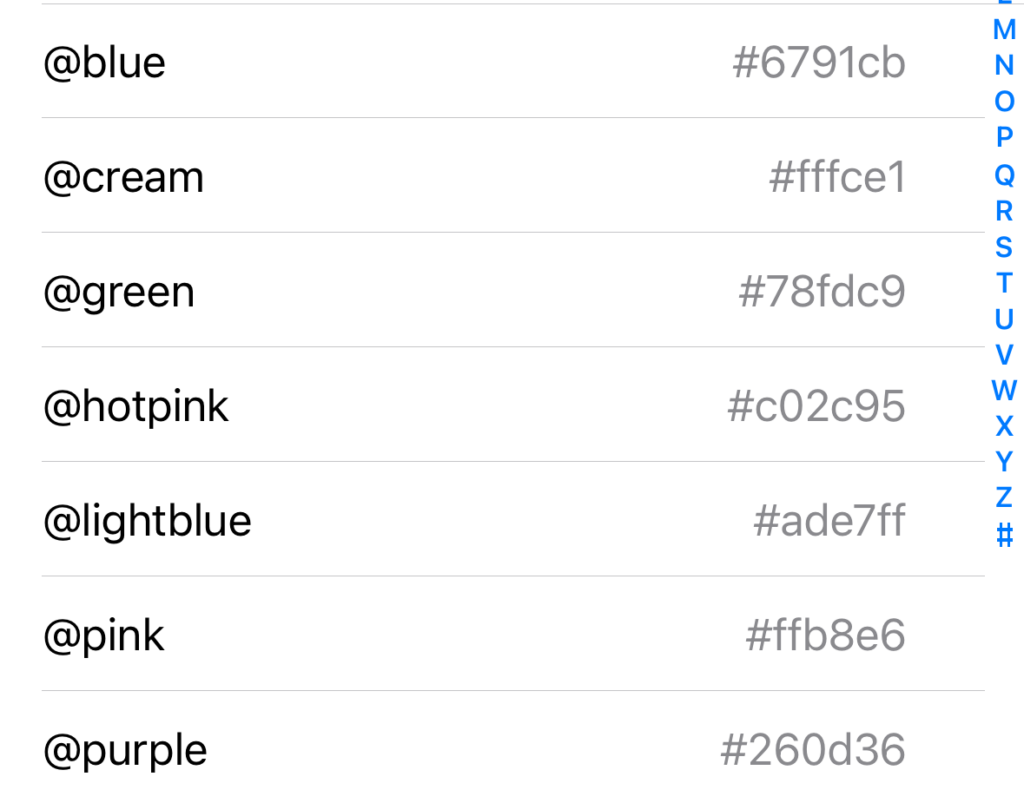
Our shortcut list on an iPhone
For example, we use the following shortcuts:
@pink — #ffb8e6
@lightblue — #ade7ff
@blue — #6791cb
@green — #78fdc9
@purple — #260d36
@cream — #fffce1
...so when I type @pink it auto-expands into #ffb8e6 instead. Nifty!
Just make sure you don't use a shortcut that you might inadvertently type (that's what the @- symbol at the front is helping with) 😉
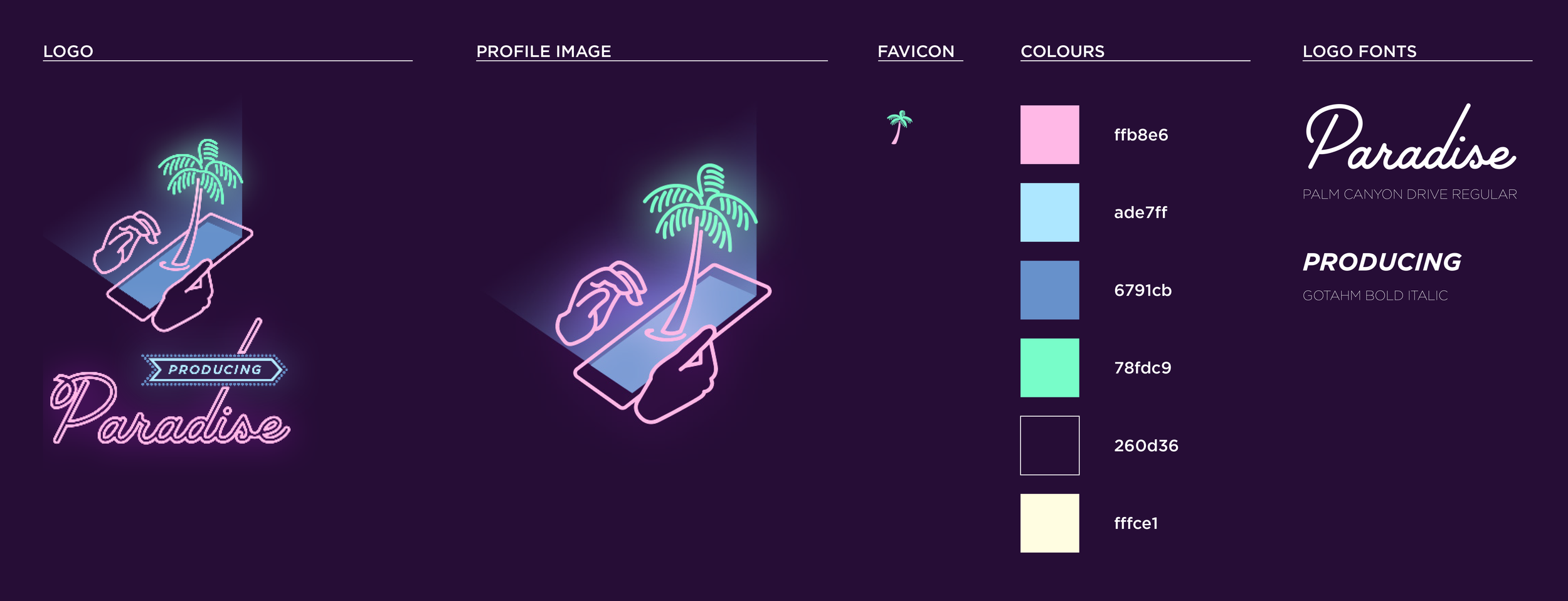
Our style guide with brand colour hex codes
How to set it up
Here's the video demo:
On Mac (macOS)
Open System Settings > Keyboard > Text Replacements.
Click the + button.
Under Replace, enter your shortcut (eg. @pink).
Under With, enter the hex code (eg. #ffb8e6).
Close the window to save.
Pro-tip: these text replacement shortcuts will automatically be available on any other devices where you're logged in with the same Apple ID, providing you have iCloud turned on ✨
On iPhone/iPad (iOS)
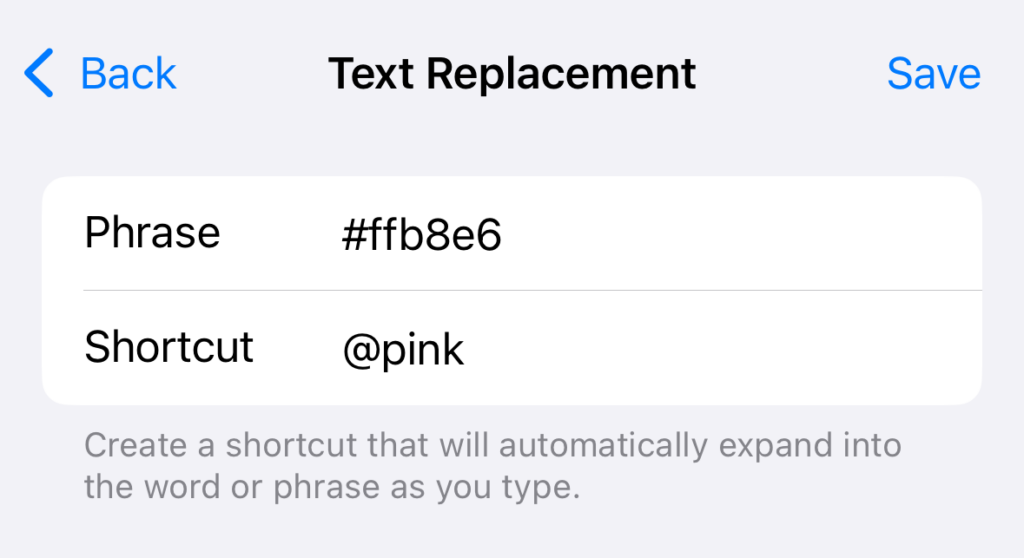
The text replacement input screen
Open Settings > General > Keyboard > Text Replacement.
Tap the + button.
In Phrase, enter your hex code (eg. #ffb8e6).
In Shortcut, enter an easy-to-remember trigger (eg. @pink).
Tap Save.
Pro-tip: you can copy and paste between iPhone and computer if you're logged in with the same Apple ID ✨
On Windows (via AutoHotkey or Clipboard Managers)
Windows doesn’t have built-in text replacement, but you can use a tool like AutoHotkey or a clipboard manager.
Bonus: use for other brand assets too
This trick isn’t just for hex codes! You can use text replacement for brand taglines, website URLs, phone numbers, email addresses, or social media handles to speed up your workflow.
Do you use text replacement shortcuts? What else can they help with?
Small tweak, big time-saver? Now imagine your whole workflow like that.
Little shortcuts like text replacement can save minutes every day. Now imagine the impact of systems that streamline your entire process.
Need a central hub to keep your freelance work organised?
The Organised Creative Notion Template helps you track projects, manage deadlines, and store important info (like hex codes) so everything's right where you need it.
EXPLORE THE TEMPLATE →
Ready for the complete framework?
The Most Organised Person I Know shows you how to design simple systems that reduce mental load and help your work flow more smoothly, from daily tasks through to long-term projects.
GET THE EBOOK →
Work smarter, not harder, because shortcuts only matter if the whole system runs smoothly.