
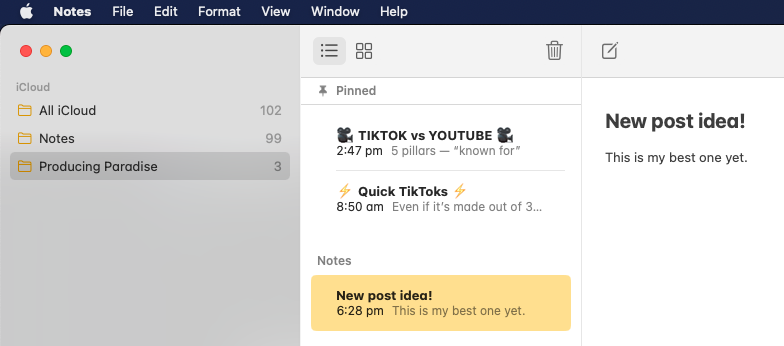
Using the Notes app on my iPhone alongside Notion on my computer to keep track of blog post ideas for this very blog. How meta.

Summary: Track blog post ideas across your iPhone and computer by using a synced note-taking app like Notes and Notion (or Evernote). Capture ideas wherever you are, then organise and prioritise in one place for easy access and planning.
Check out this video (7min) where I walk you through the steps:
Here’s what’s covered:
0:11 Using the iPhone Notes app for capture blog post ideas on the fly
1:34 Using SizeUp to quickly resize and split windows
2:00 Transferring ideas from Notes app into Notion
2:30 Doing a quick word search before migrating the idea (to make sure it’s not a duplicate)
3:07 Why not just use the Notion app on iPhone?
3:35 Notion dashboard, including next posts to draft and recent videos shared
Essentially:
- I use the Notes app on my iPhone to jot down blog ideas on the fly
- I sync this to my computer via my iCloud account
- When I’m at the computer, I transfer the ideas from Notes into Notion (my master blog post tracking system) then delete the Notes
- I can still refer to the list in Notion via the iPhone app whenever I want, but using the Notes app as a rough thought-space means you can play around with ideas and capture them super quickly
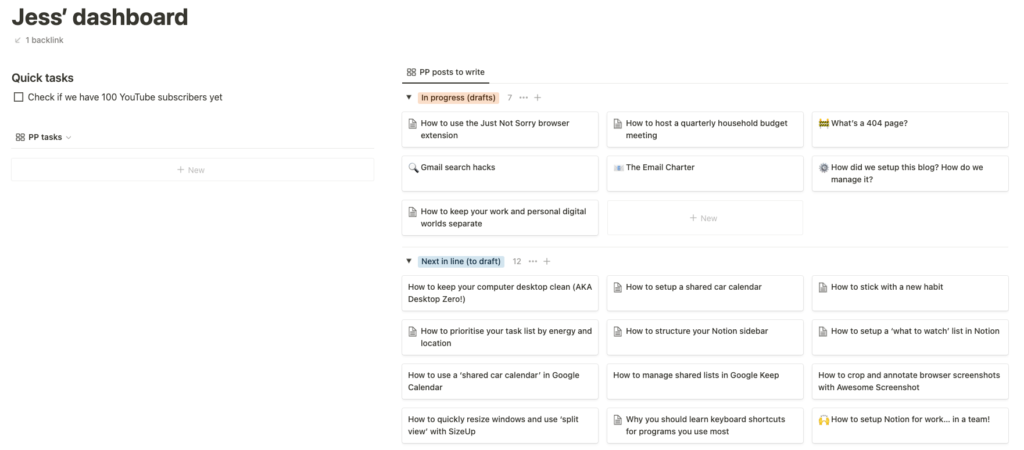
If you spy a blog post in that list you’d be keen to see next, let me know!
You’ve got blog post idea tracking down? Let’s keep the good times flowing
You’ve sorted idea tracking. When one part of your work feels organised, everything else gets easier too.
For freelancers who like things tidy
The Organised Creative operating system is a Notion template that connects your ideas, projects, and tasks in one place, so you spend less time on admin and more time creating.
EXPLORE THE TEMPLATE →
Ready for the complete framework?
The Most Organised Person I Know shows you how to design simple systems that reduce mental load and help your work flow more smoothly, from daily tasks through to long-term projects.
GET THE EBOOK →
When your operations flow, you can create with more confidence.