How to setup a personal dashboard in Notion
I'll show you how to setup a personal dashboard in Notion from scratch, including filtered views and timelines. If you're new to Notion, I hope this helps you get setup too!
Summary: A personal dashboard in Notion can track tasks, projects, and goals in one place. By using templates and widgets, you can create a central hub that keeps your day organised and helps you stay on top of your work.
Create your first Notion dashboard
In this video (9min), I show you how to setup your Notion dashboard for the first time, including filtered views of your task boards so you're only seeing your own stuff.
Here's what's covered:
00:38 Add a new page
01:09 Add a cover image
01:30 Add a 'linked view' of a database (or create a new one)
02:10 Setup 'gallery' view
02:30 Filter tasks by assigned to me, due on or before today
03:20 Add a linked view of another database
03:50 Filter by task owner and status
04:30 Setup three columns
06:00 Add a quick to-do list
06:44 Add a divider
07:00 Add a timeline view — this one requires tasks to have a date field
🐁 This video doesn't go through the database setup process, but you can get an idea of how to do this over here: How to setup Notion for book content management.
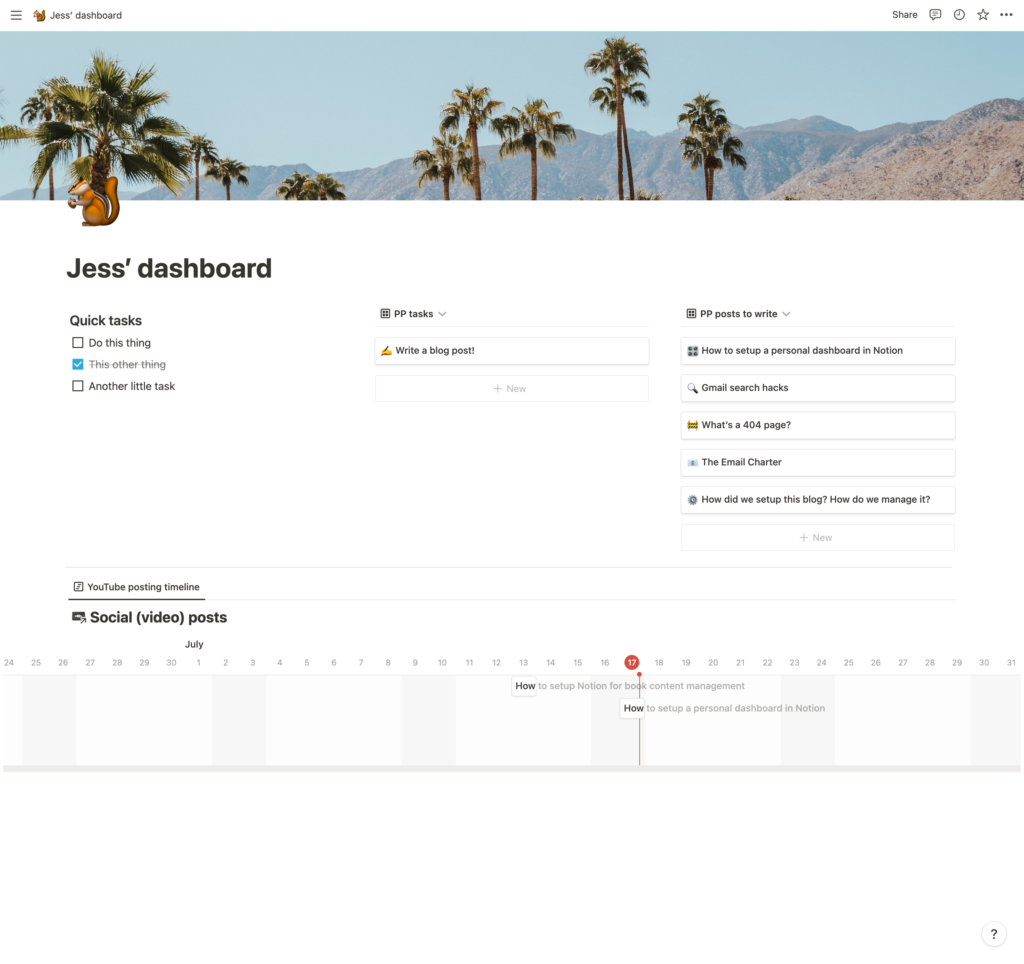
Here's what the initial Notion dashboard setup looks like!
Refine your Notion dashboard
In this second video (7min), I've got some tips for refining your dashboard, including how to setup quick-views to flick between your list of tasks and a timeline.
Here's what's covered:
00:54 Add a new quick-select timeline view
01:25 Filter by task status
01:44 Quickly switch between gallery and timeline views
02:10 Task triage and adjusting dates
04:00 Add a task to a timeline
04:45 Add another quick-select timeline view
05:25 Hide database title
05:30 Hide text table from the timeline
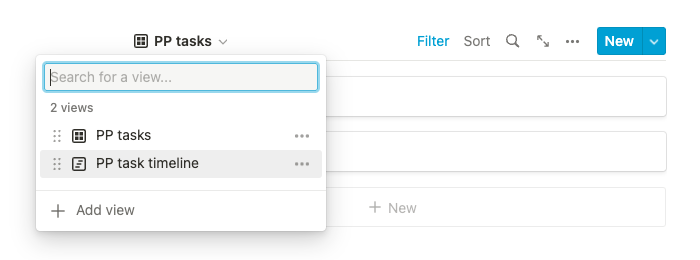
Quickly switch between views
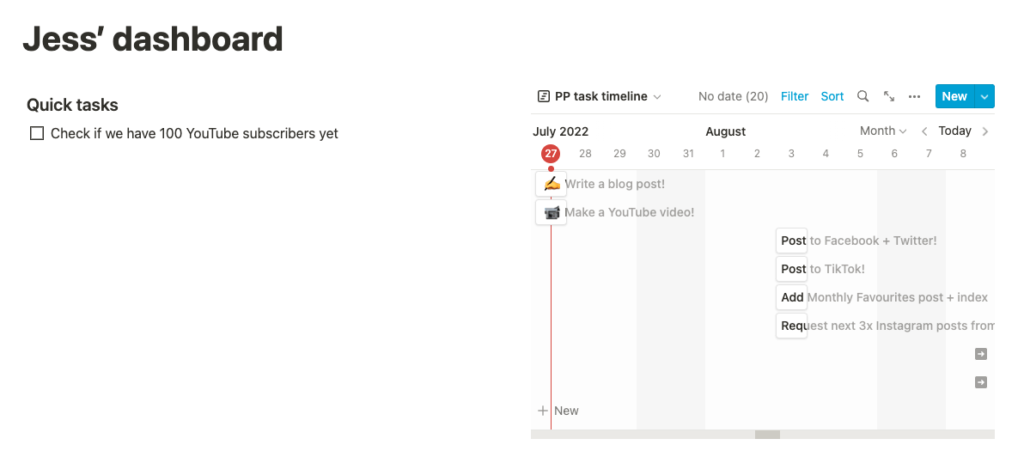
Timeline view within the Dashboard
Filter by tasks due today
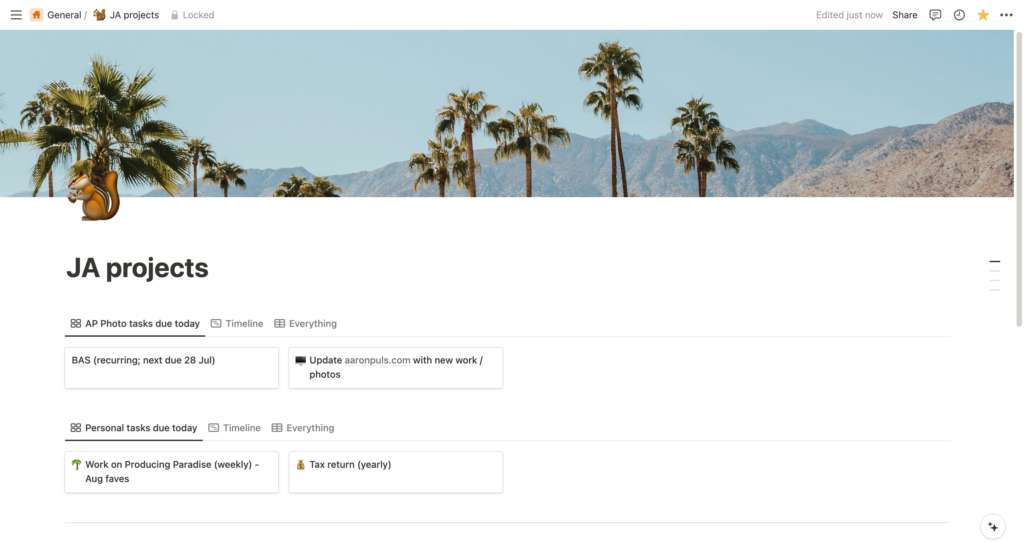
Another example of a dashboard, showing tasks due today from two separate projects
The best thing about a dashboard page is the ability to 'filter tasks due today' from different project boards, to see them all in one place. I like the 'gallery view' for this, with a toggle to flip between gallery and timeline views (to see the rest of the upcoming tasks).
Psst. Our YouTube channel has lots of other Notion tips — subscribe to us there, if that’s your thing!
Built your first Notion dashboard? Now get the rest of your systems working just as hard
Setting up a workspace is a solid first step. The next is making sure it supports your real-world workflow without turning into digital clutter.
Could you use a Notion setup that's ready to go?
The Organised Creative Notion Template gives freelancers a structure that works. Track projects, manage tasks, and keep everything in one place from day one.
EXPLORE THE TEMPLATE →
How about systems that work beyond your dashboard?
The Most Organised Person I Know shows you how to design simple systems that reduce mental load and help your work flow more smoothly, from daily tasks through to long-term projects, at work and at home.
GET THE EBOOK →
Notion's powerful, but the real magic happens when your tools fit how you work.