How to create a consistent YouTube thumbnail in Photoshop

A peek behind the magic curtain at our YouTube thumbnail template.
Summary: This tutorial shows you how to design consistent YouTube thumbnails in Photoshop by creating a reusable template that aligns with your brand. It covers selecting colors, adding text, and ensuring a professional, cohesive look for your channel.
Here's how I do it (7min video):
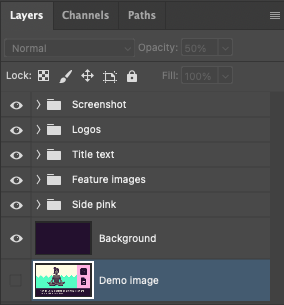
The Photoshop layer groups that make up our template
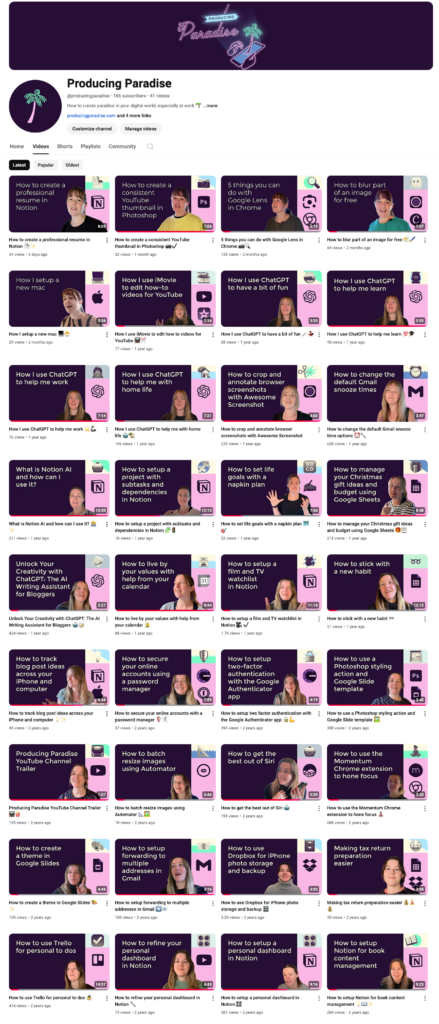
The end result!
Designed a consistent YouTube thumbnail style? Now build a workflow that supports your content creation goals
A well-designed thumbnail can help grab viewers' attention, but a solid workflow can help you create and publish content consistently.
Want a plug-and-play system to support your content creation goals?
Our Notion template gives creators a complete setup to manage projects, track tasks, and stay organised, helping you build on the momentum you've gained from designing your thumbnails.
EXPLORE THE TEMPLATE →
Ready for the complete framework?
The Most Organised Person I Know shows you how to design simple systems that reduce mental load and help your work flow more smoothly, from daily tasks through to long-term projects.
GET THE BOOK →
Build a workflow that helps you create and publish content consistently.